
A few months ago, we ran into a recurring pattern inside our SEO workflow.
Every task felt simple at first. Open a blog, review the content, optimise it. Pull competitor keywords, put them in a sheet. Create brief after brief for new topics. But once we got deeper into the work, we saw how many hours were disappearing into steps that looked the same every single time.
Content audits required scraping text, reading line by line, and rewriting with improvements. Competitor research needed exports, spreadsheets, formatting, and sorting two to four hours for one domain. Keyword briefs meant SERP checks, clustering, LSI terms, and difficulty mapping one keyword at a time.
We were not short on skill. We were stuck in repetition.
So we automated everything that did not need human effort.
And that is where everything changed.
Content Audit Automation
Before automation, auditing old blogs was easy but extremely time-consuming, paste the URL, read it end-to-end, check structure, identify missing SEO elements, and manually write suggestions. Each review took nearly an hour, and across a full content library, hours disappeared without real strategic impact. So we built a workflow that analyzes any blog through a URL and returns improvement suggestions in under two minutes. Here is our Content Audit Workflow, step by step.
Step 1: Entering the URL
The process begins when the SEO team takes a published blog link and enters it into the content audit interface. There is no need to copy the article, scan it manually or open the post to review it line by line. Simply providing the URL is enough for the system to begin its work, which saves a large amount of time and allows the team to move directly into analysis instead of preparation.
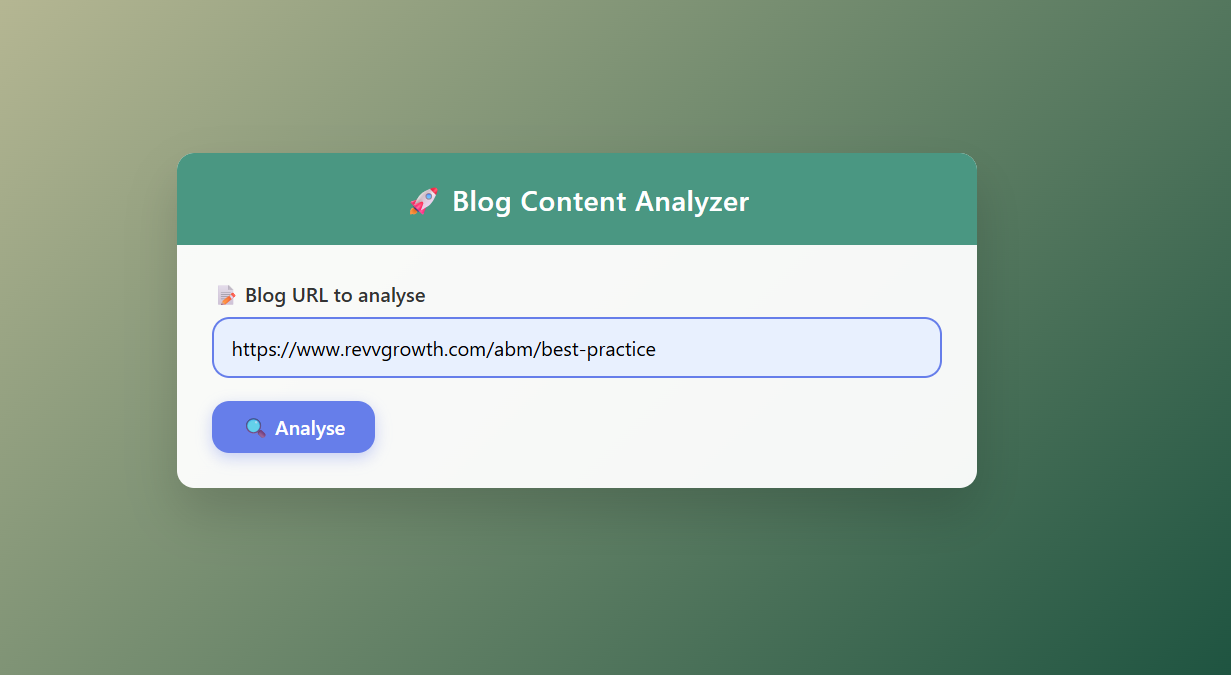
Step 2: Apify scrapes the blog automatically
Once the link is submitted, Apify collects the full content of the page. It gathers every important element including the blog text, headings, meta descriptions, images used within the article and the author details. All of this happens in the background without any person needing to extract information manually. This scraping step is what replaces the slow task of reading, copying and arranging content that previously consumed many working hours.
Step 3: Data is evaluated by the AI agent
After scraping is complete, the collected data is passed into an AI evaluation agent that has been given specific instructions on how to review a blog. The AI checks the relevance of the content, the clarity of writing, the completeness of information, the strength of structure and the overall quality. These parameters help the system understand what can be improved in the blog and how useful and well built the article currently is from a content perspective.

Step 4: The audit report is generated
Within one to two minutes the workflow produces an output report that summarises the evaluation findings. This report presents suggestions for improving the content structure, points out optimisation opportunities that may be missing and lists enhancement ideas that can make the blog more informative, readable and SEO friendly. Along with this, the report also assigns an overall content score which makes it easier to assess how well the article currently performs.
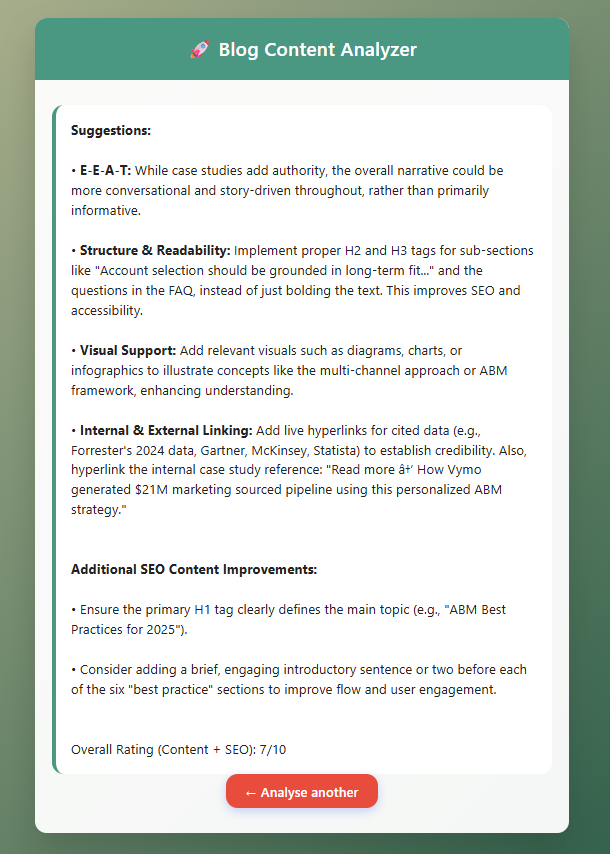
Step 5: Continuous refinement through feedback
The suggestions that the system provides improve gradually as the SEO team shares feedback based on real usage. Over time, updates to the instructions and workflow have made the audit more reliable, more consistent and more suitable for regular use. What was once a slow manual process that took close to an hour for one blog can now be completed within a few minutes, which allows the team to review more articles and improve content at a much faster pace.
Competitor Keyword Research Automation
Competitor keyword research used to take several hours each time. The process required opening multiple tools, finding ranking keywords, exporting CSV files, cleaning and arranging columns, identifying keyword intent and then building a sheet manually from scratch. When a domain had hundreds of ranking keywords, the work became slow and tiring. To solve this, the entire workflow was automated so that one input could replace a half day of manual steps.
Step 1: Enter the competitor’s domain URL
The workflow begins when the user inputs a competitor domain into the interface. Earlier, research required several tools, manual extraction, CSV cleanup, and spreadsheet building, but now one domain entry replaces all those scattered steps.
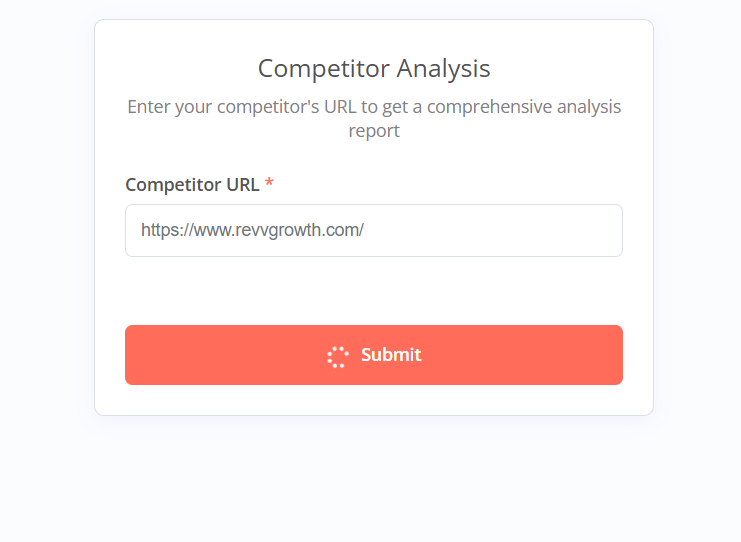
Step 2: A new sheet tab is generated automatically
As soon as the domain is submitted, the system creates a new tab inside a shared Google Sheet. Each competitor is stored separately with a clean structure and proper naming so no one needs to build or label sheets by hand.
Step 3: Keyword data is pulled through DataForSEO
The system sends the domain to DataForSEO and collects keyword information directly from the database. This includes search volume, keyword difficulty, search intent, ranking URLs and total keyword count. Previously these metrics had to be gathered one by one, but now they are retrieved together without manual searching.
Step 4: Data is formatted by an AI agent for clarity
Once keyword data is retrieved, it is passed into an AI agent that organises it in a structured way. Instead of returning a raw list, the agent processes the information into clear, usable keyword rows that support comparison, filtering and opportunity mapping.
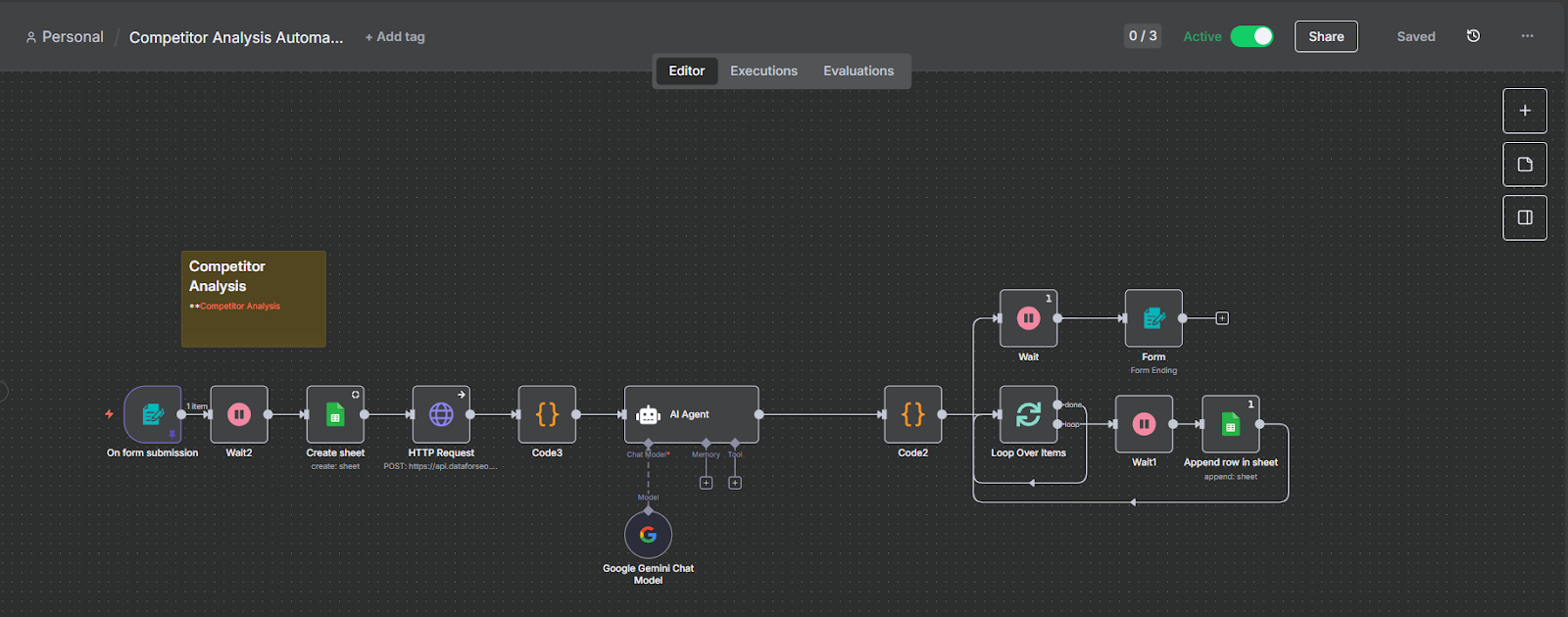
Step 5: A complete sheet is ready for use within minutes
The keywords and their metrics are written automatically into the sheet without copy paste or cleanup. A task that once took two to four hours per competitor now finishes in minutes, giving the SEO team more time for strategy rather than mechanical collection.
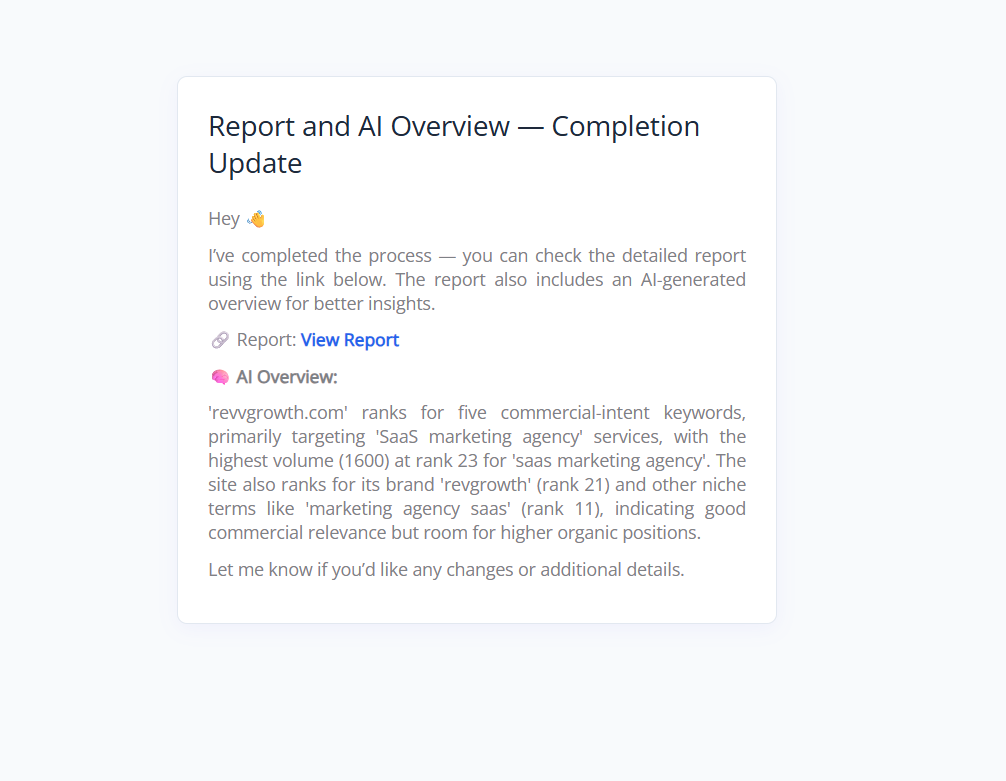
Keyword Brief Generator
Keyword briefs were originally created with some help from AI, but the process still needed prompts, SERP checks, manual formatting, and restructuring every time. The system worked, although it was not fast enough for regular use. To improve speed and remove repetition, we built a workflow where a keyword, its search volume, and its difficulty score are the only inputs required to generate a complete brief.
Step 1: Brief logic is stored inside an AI project
The process begins with a dedicated Claude project where the entire logic for the brief is already defined. This includes the format of the table, how SERP validation should be done, and strict rules that prevent fabricated or unsupported data. The project contains everything needed for consistent output.

Step 2: Enter keyword, volume, and difficulty
To generate a brief, the user only enters three values. These inputs replace the earlier need for long prompts, manual SERP checks, and formatting work. Once submitted, the system understands the request and prepares the brief automatically.
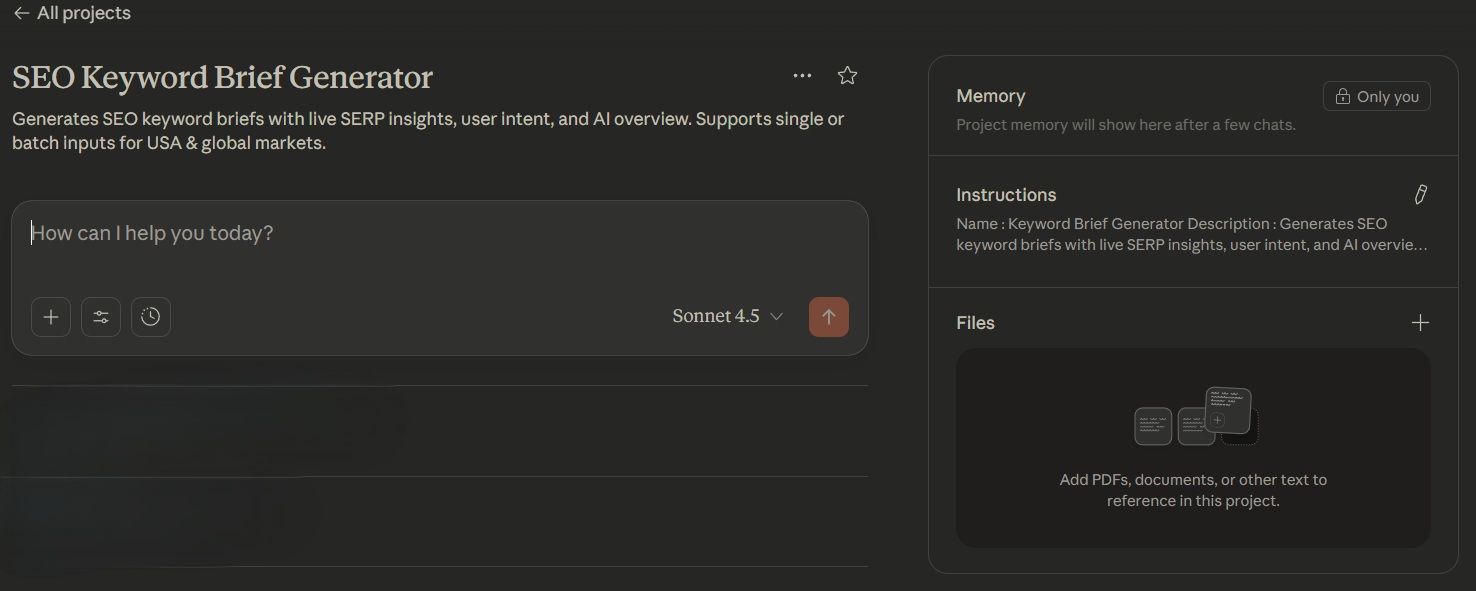
Step 3: AI runs live SERP and context checks
Claude performs real-time search analysis for the keyword instead of relying on static or outdated information. It reviews SERPs, interprets context, and identifies relevant supporting terms so that the output reflects current search behaviour and competition.
Step 4: Output is delivered in a structured table
The brief is generated as a neatly formatted table. It includes secondary and LSI keywords, NLP terms, content type, search intent, recommended slug, and a suggested blog reference. The table makes planning easier and provides everything needed to build a content outline without additional research.
Step 5: Multiple briefs can be generated without delay
The workflow supports continuous use, allowing many briefs to be generated one after another. There is no slowdown, and each output maintains the same structure and quality. What once required repeated prompting, SERP checking, and formatting now happens within seconds.
What Changed After These Automations
When we built these workflows, the aim was not just to make things faster. It was to remove the repetitive work that held people back. Earlier, a content audit could take almost an hour. Competitor research could take two to four hours. A keyword brief needed twenty to thirty minutes. Today, each one is triggered through a single input and finishes in minutes or sometimes seconds.
What improved most was not just speed, but focus. The SEO team now spends time thinking, planning and improving instead of copying, extracting and formatting. The work is still there, but the waste is gone.
Final Thought
Work rarely slows growth, inefficient processes do. Automation does not replace skill. It makes room for it. These three tools turned hours of manual SEO effort into minutes, giving teams more time to think, plan and create. Growth happens when people stop repeating tasks and start using their minds.
Still running SEO workflows manually?
We automated content audits, keyword research, and briefs, saving hours every week without losing strategy or quality.
If you’re thinking about automating parts of your SEO execution, connect with me on LinkedIn. I’d be glad to walk you through what worked for us and how you can adapt it for your team.
– Karthick Raajha
Founder, RevvGrowth

.svg)
.png)
.png)
.webp)